
Website & Enquiries8 min read
Do I Actually Need a New Website?
Your website can feel old without actually needing to be replaced.


When enquiries slow down, the website is an easy place to blame—especially if the site feels old, a score looks poor, or someone has suggested a redesign. The difficulty is proving whether the website is actually creating friction or simply getting blamed for a problem somewhere else. One number cannot reliably prove that a website lost a customer.
What you can do is look for places where a person could get confused, lose confidence, get stuck, or fail to complete the next step. A useful diagnostic path is: Arrive → understand → trust → contact → confirmation. If one of those steps is weak, it gives you something concrete to investigate before replacing everything.
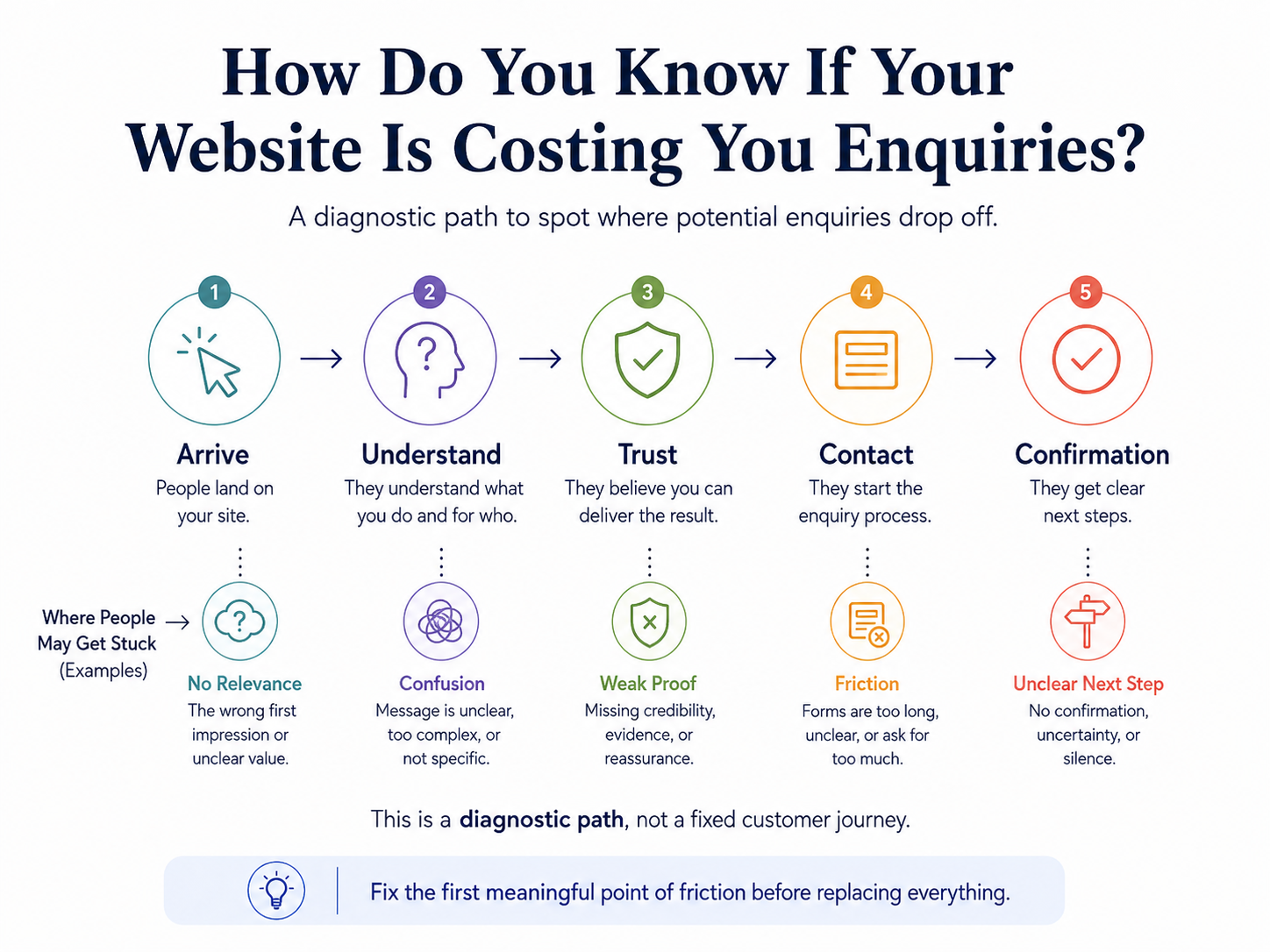
Start with clarity. Open the website as if you have never seen the business before. Can you quickly tell what the business does, who it is for, where it works or serves, and what to do if you want more information? If the answer requires reading several paragraphs or already knowing industry language, the problem may be clarity rather than design.
A beautiful website can still make people work too hard to understand the offer. A plain website can still be useful if the important information is obvious and easy to act on. Clear beats clever when someone is deciding whether they are in the right place.
Your website can feel old without actually needing to be replaced.
Then look at proof. Useful examples can include a clear business identity and contact information, real photos where appropriate, examples of past work, reviews or testimonials used accurately, credentials when they genuinely matter, clear service explanations, policies customers need before deciding, and current hours or service-area details.
Next, test the contact path. Is it obvious how to call, email, book, or ask a question? Does the form ask only for information the business actually needs? Are errors clear and fixable? Does the person receive a confirmation or understand what happens next? A website can create friction even when the page itself looks polished.
Mobile usability and page performance matter because they can make those tasks harder, but they should be treated as evidence to investigate, not a single score that proves lost sales. Test the real tasks customers need to complete on the devices they are likely to use.
If you have analytics or other records, use them to support the diagnosis rather than replace it. Look for patterns around important pages and contact actions, then compare those patterns with actual enquiries. If the site gets traffic but the contact path is weak, fix the first meaningful point of friction before assuming the whole website needs a redesign.

If you are putting time or money into marketing, the useful question is whether more of the right people are finding you, contacting you, and becoming customers—and where that path starts to break down.
If an article helped you identify the problem but the next step is still fuzzy, tell us what you are working through and we can start there.
Content pending approval.
Your website can feel old without actually needing to be replaced.
If you are putting time or money into marketing, the useful question is whether more of the right people are finding you, contacting you, and becoming customers—and where that path starts to break down.